My role
Product designer and Project Lead on this project — two distinct roles held in parallel.
As designer → full creative ownership of the concept, sole designer on the subject.
As Project Lead → end-to-end project management with one iOS developer, one Android developer, and one back-end developer: initial estimation, work breakdown, daily and weekly rituals, through to production release.
Goals
- Deliver an innovative component addressing a real use case
- Highlight one of the app’s flagship features (GO)
- Make users want to display Transit on their home screen — small, large, in multiple instances
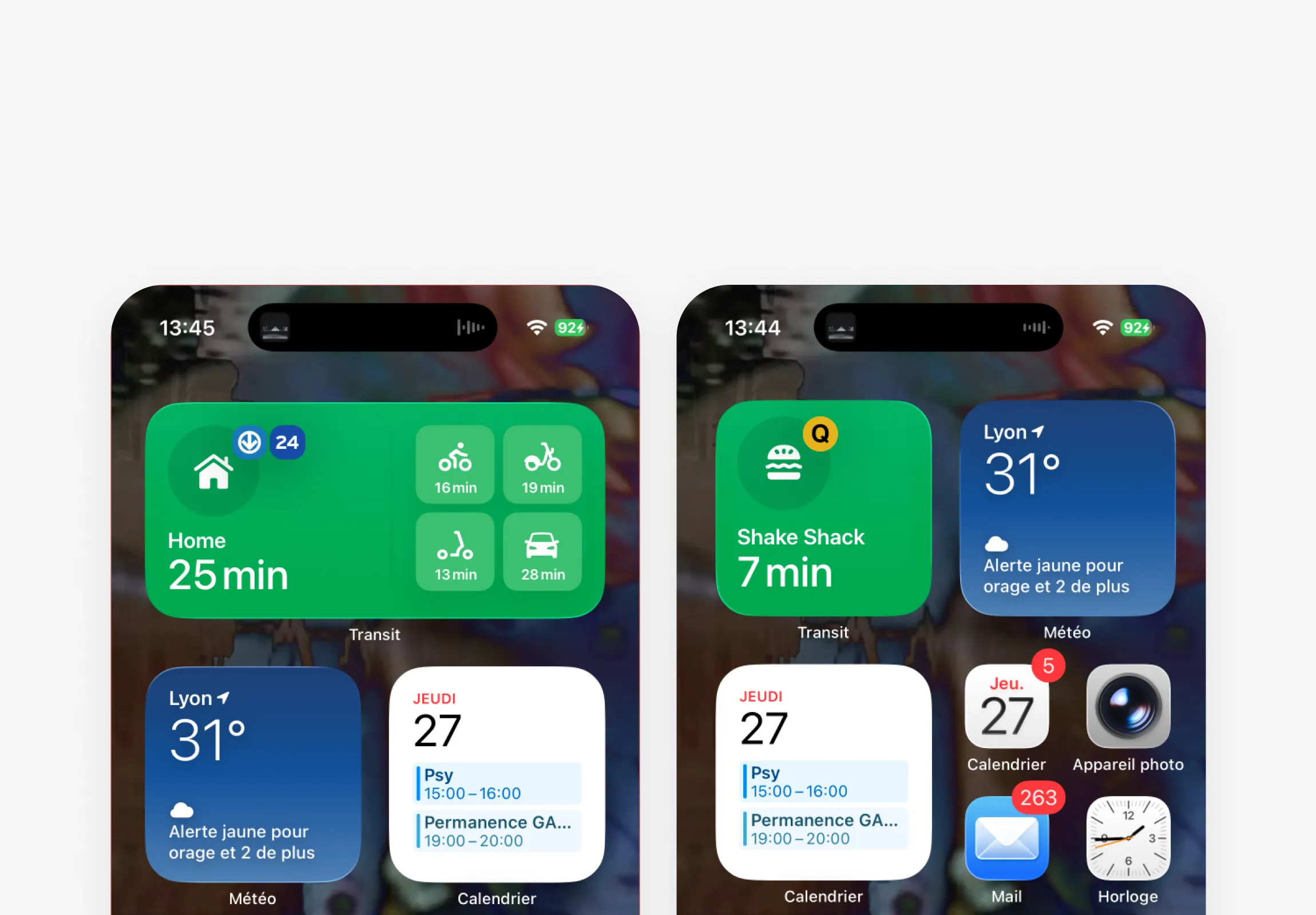
M and S Previews
Concept
With a single tap, the user launches the route to the destination suggested by the app: guided navigation (GO), or access to other departures and combinations.
Key features:
- Get a real-time travel time without opening the app
- Launch navigation to a favorite destination (suggested by the app or fixed)
- Compare travel times at a glance (M version) and launch navigation across different transport modes nearby.
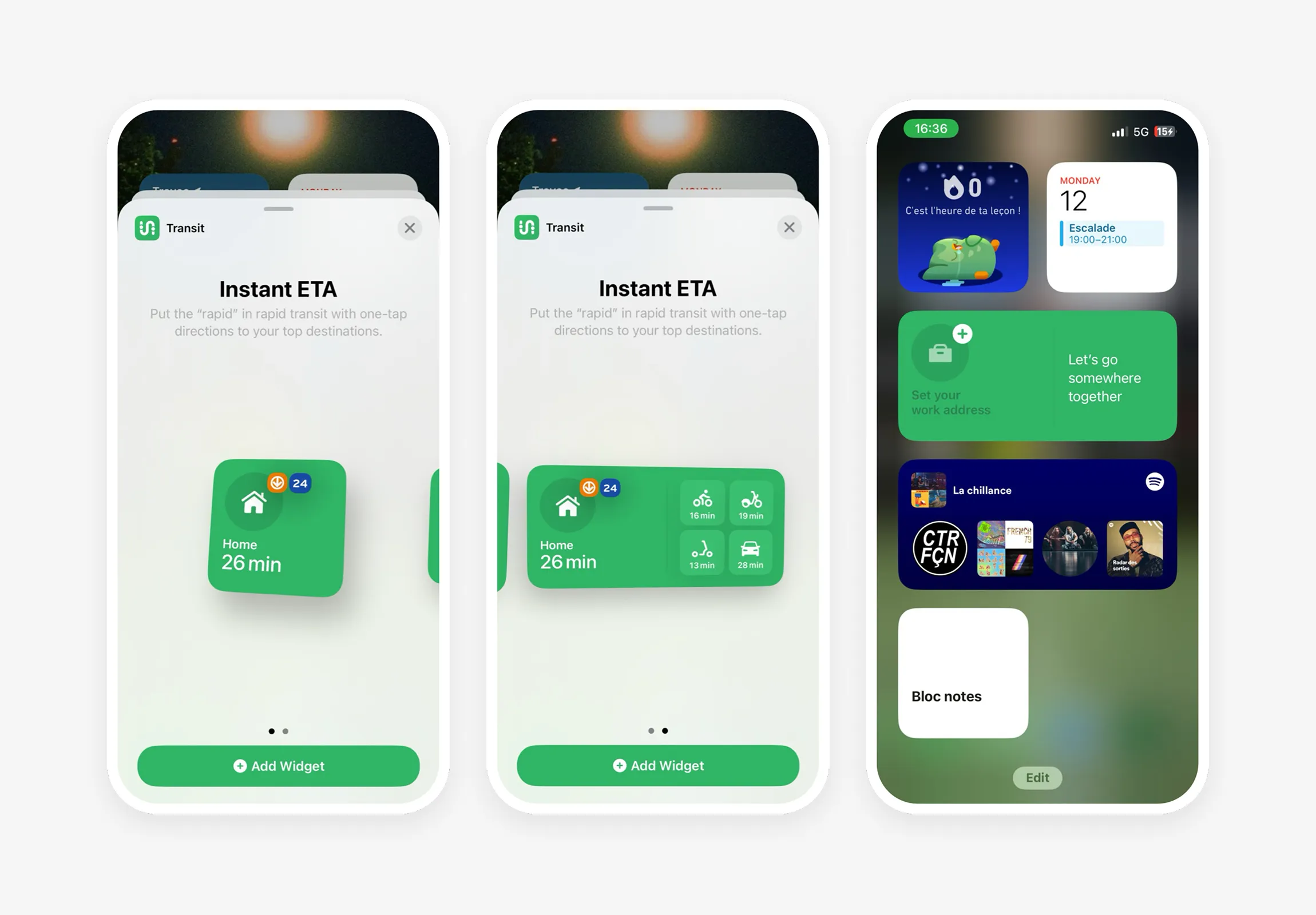
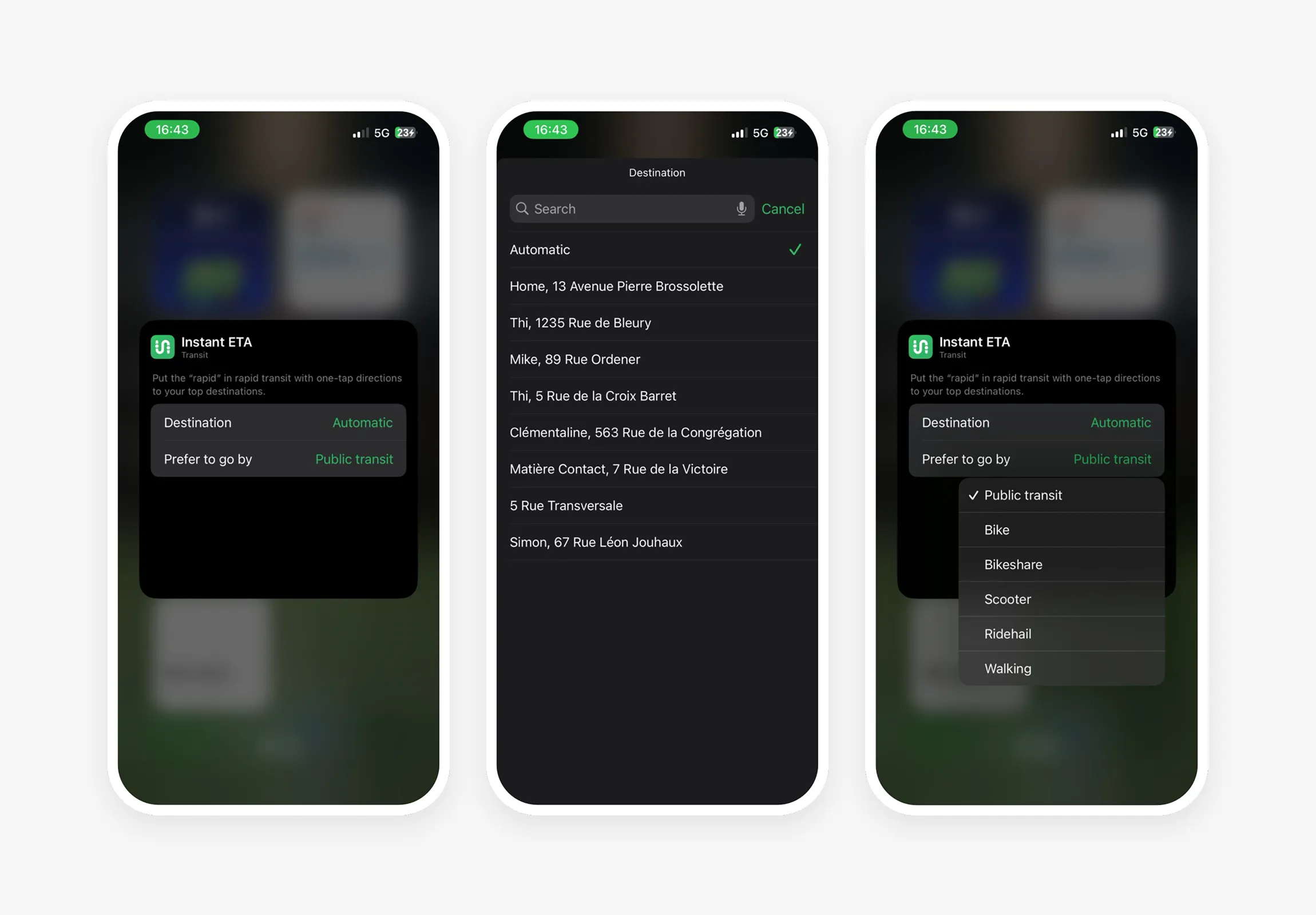
Installation and settings
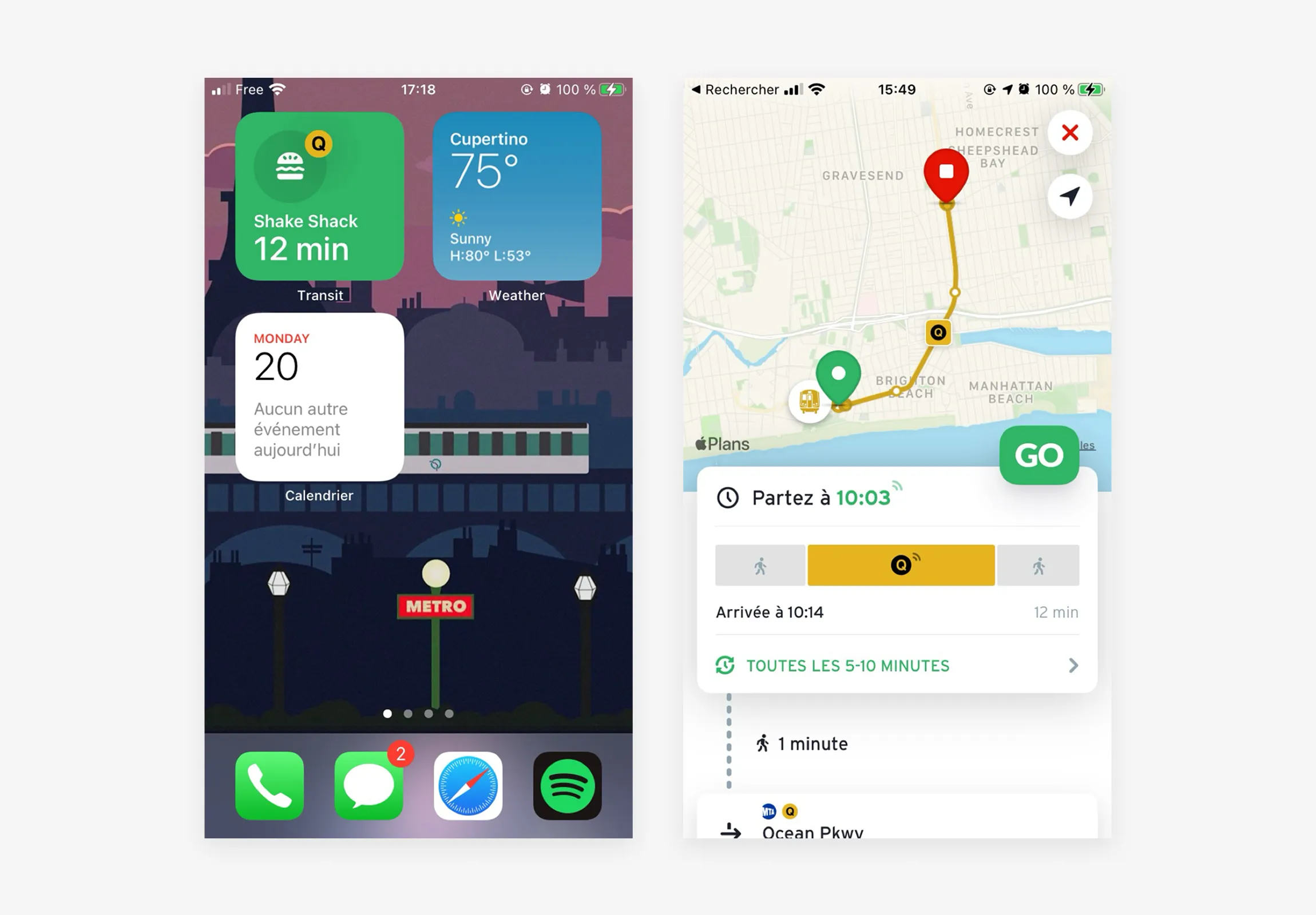
Lancement d’un trajet
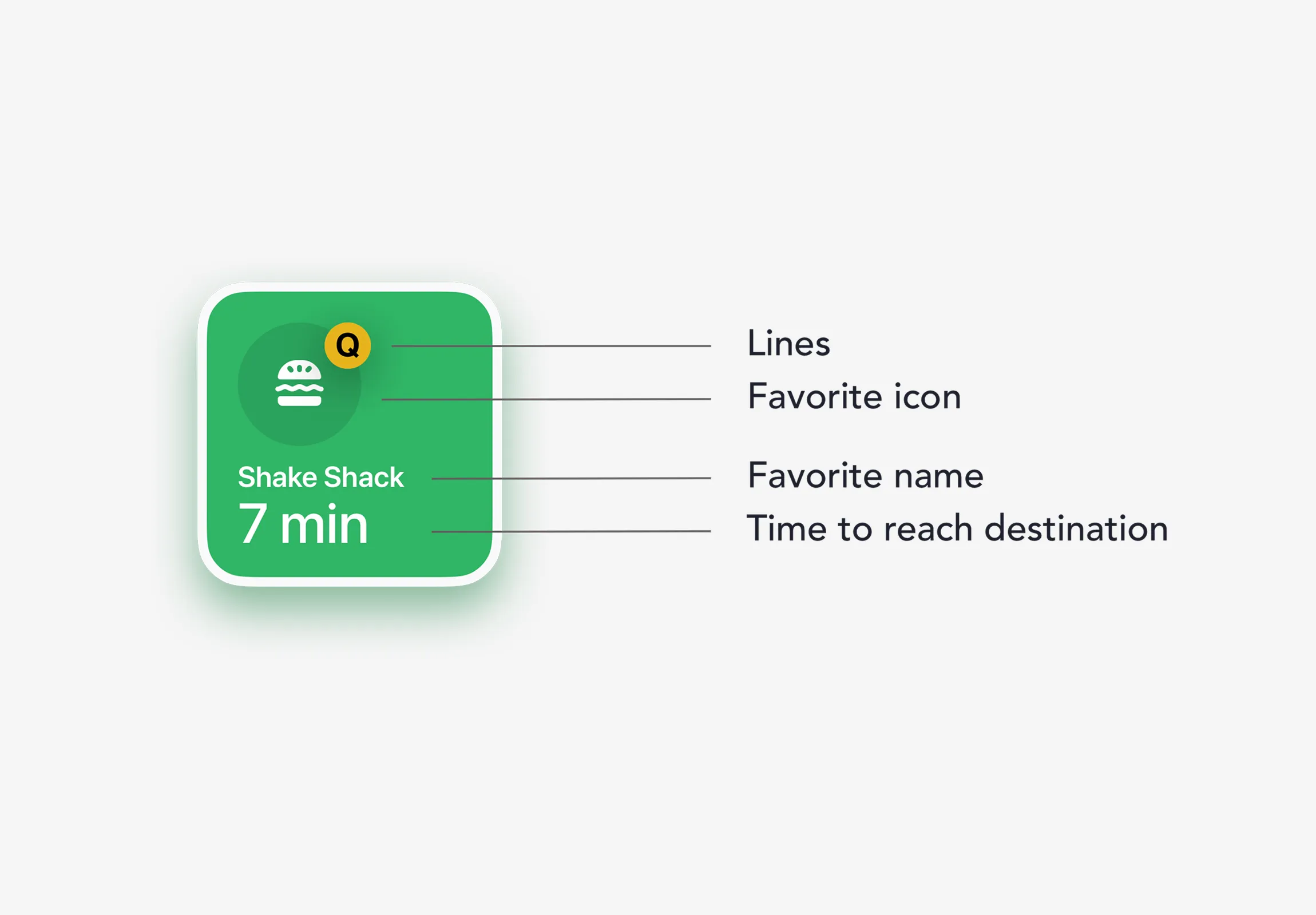
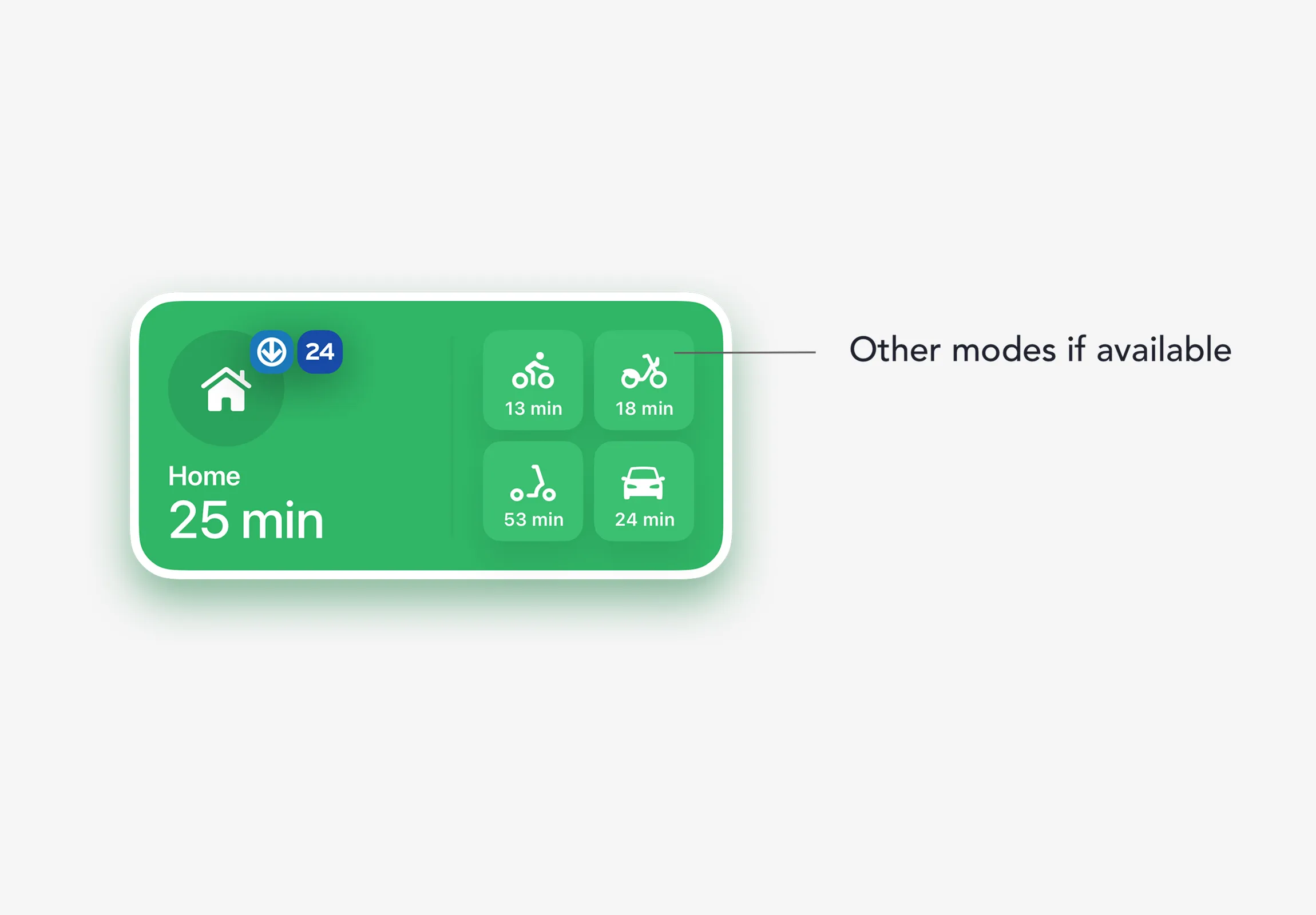
Anatomy
Process
Design → A simpler and more widely adopted widget was possible (next bus schedule), but the choice was to take a deliberate stance: offer something unprecedented that showcases innovation at Transit rather than optimizing for immediate adoption.
Project management → Project broken down into stories, daily standups, weekly syncs with the mobile team lead, regular progress demos… through to production release.
Challenges
One of the project’s biggest challenges was designing display solutions that work with different types of route images, while preserving their identity — essential for user recognition. A classification puzzle to align on technical possibilities. Another was covering and documenting the many edge cases.
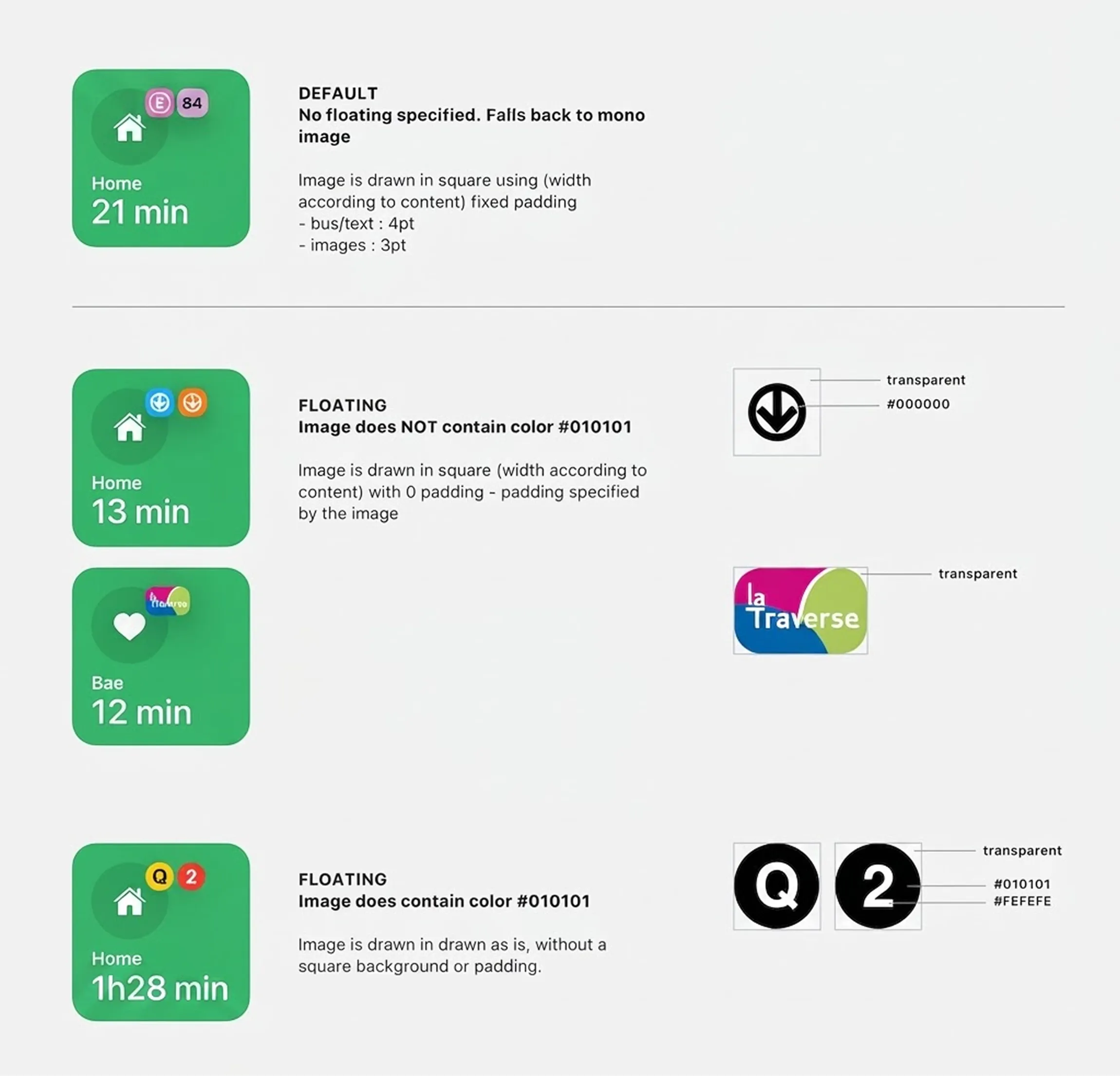
Route images documentation excerpt
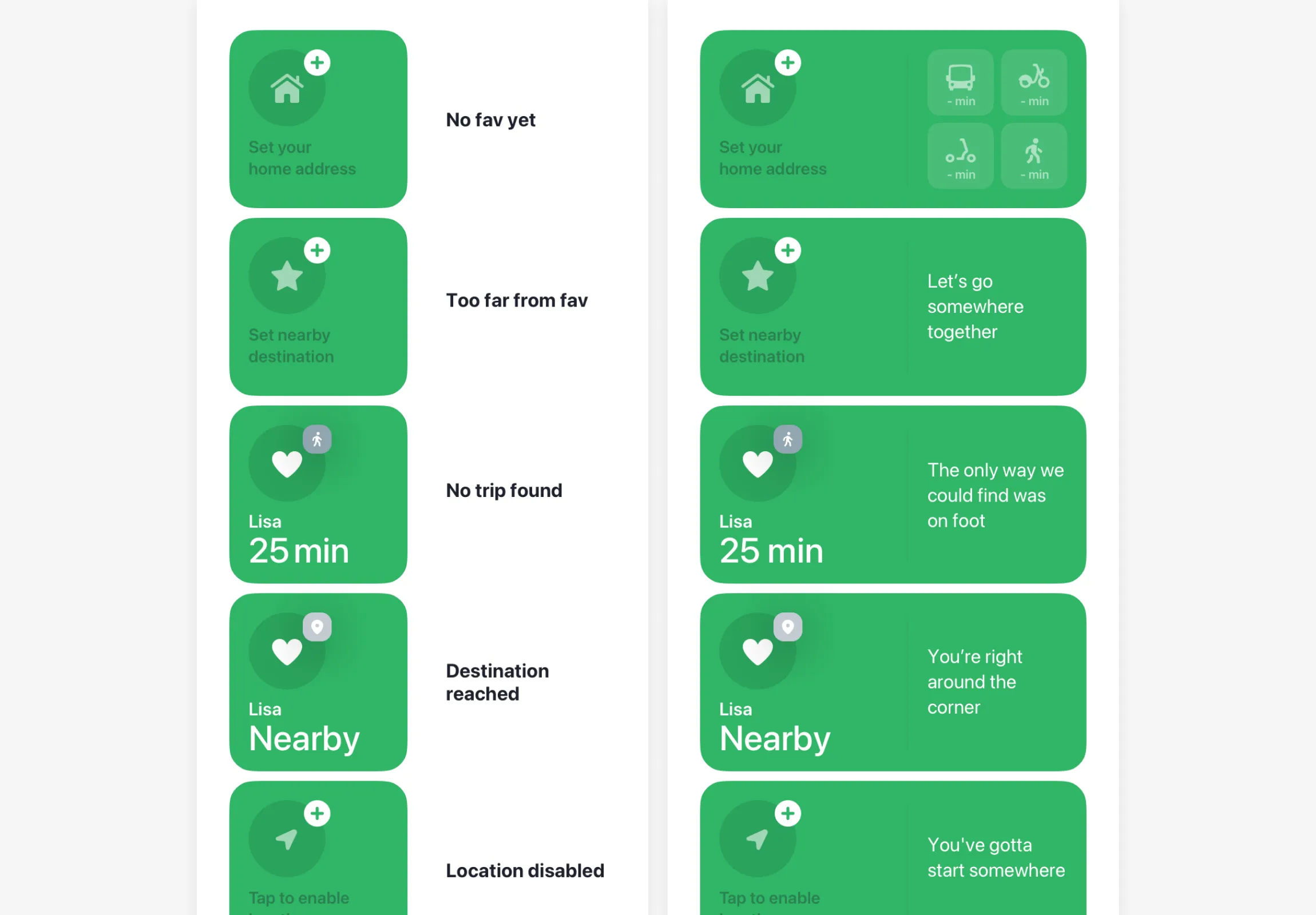
Empty states documentation excerpt
Customization
The arrival of widgets was eagerly anticipated by users for their customization possibilities: personalize for their usage, but also personalize the visual look of their device’s main screens.
With this expectation in mind, the default widget state was set to intelligent suggestion, while still letting users configure it with a fixed destination and transport preferences.
In size S, it’s possible to add multiple instances to the same screen to create a dashboard with different destinations.
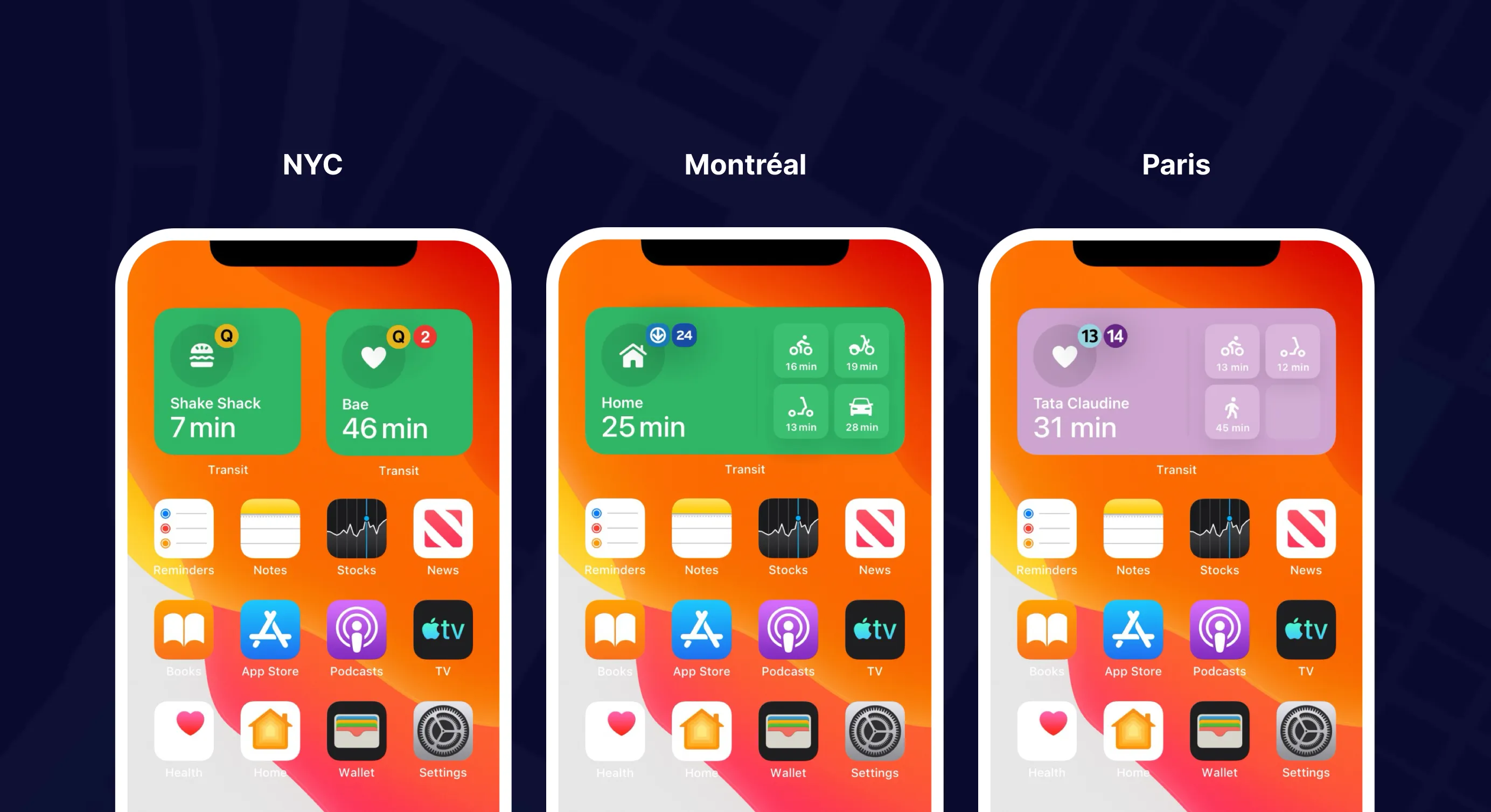
The widget can also take on the color of the Royale™ theme (Transit’s premium version) chosen by the user — themes inspired by the iconic colors of transit lines in major cities.
Settings
Royale™ Colors